# Glossary
## General
The glossary module is a powerful tool making internal linking easy and smart.
In a special editor you can define your terms which are replaced automatically with a link to the defined page.
But the glossary is not only useful for internal linking, it's also perfect for explaining abbreviations and/or acronyms.
## How it Works
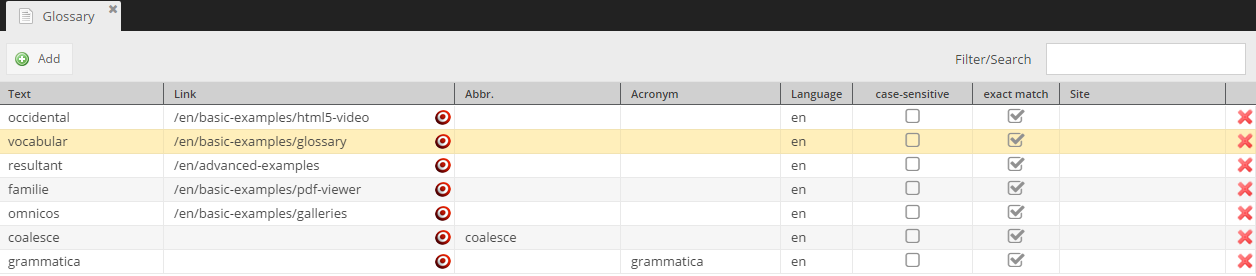
Open the glossary editor  **Tools -> Glossary** and define some terms.
Then you have to define one or more regions in your views, telling the glossary where you want it to replace your terms.
```php
glossary()->start(); ?>
wysiwyg("content", [
"height" => 200
]); ?>
glossary()->stop() ?>
```
```twig
{% pimcoreglossary %}
{{ pimcore_wysiwyg('content', { height: 200 }) }}
{% endpimcoreglossary %}
```
PHP is a widely used, general-purpose scripting language that was originally designed for web development to produce dynamic web pages. For this purpose, PHP code is embedded into the HTML source document and interpreted by a web server with a PHP processor module, which generates the web page document. As a general-purpose programming language, PHP code is processed by an interpreter application in command-line mode performing desired operating system operations and producing program output on its standard output channel. It may also function as a graphical application. PHP is available as a processor for most modern web servers and as standalone interpreter on most operating systems and computing platforms. You can download it free at php.net.
```
> **Note**
> Since the glossary depends on languages you'll have to register a language first.
[Read more about this topic here.](../06_Multi_Language_i18n/02_Localize_your_Documents.md)