# WYSIWYG Editable
## General
Similar to Textarea and Input you can use the WYSIWYG editable in the templates to provide rich-text editing.
## Configuration
| Name | Type | Description |
|-----------------|---------|------------------------------------------------------------------------------------|
| `customConfig` | string | Path to JavaScript file with configuration for CKEditor |
| `enterMode` | integer | Set it to 2 if you don't want to add the P-tag |
| `height` | integer | Minimum height of the field in pixels |
| `toolbarGroups` | string | A toolbar config array (see below) |
| `width` | integer | Width of the field in pixels |
| `class` | string | A CSS class that is added to the surrounding container of this element in editmode |
## Methods
| Name | Return | Description |
|-------------|--------|---------------------------------------|
| `getData()` | array | Get the value of the wysiwyg |
| `isEmpty()` | bool | Whether the editable is empty or not. |
## Examples
### Basic usage
`wysiwyg` helper doesn't require any additional configuration options.
The following code specifies tje height for the rendered WYSIWYG editable (has no effect in frontend).
```php
wysiwyg("specialContent", [
"height" => 200
]); ?>
```
```twig
{{ pimcore_wysiwyg("specialContent", {
"height": 200
})
}}
```
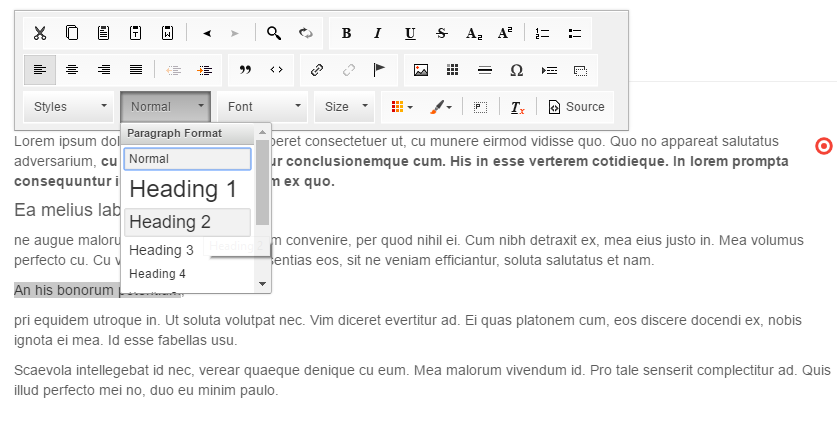
If you have a look at the editmode, you will see that our WYSIWYG is rendered with the full toolbar.
### Custom configuration for CKEditor
The complete list of configuration options you can find in the [CKEditor toolbar documentation](http://docs.ckeditor.com/#!/guide/dev_toolbar).
The WYSIWYG editable allows us to specify the toolbar.
If you have to limit styling options (for example only basic styles like `` tag and lists would be allowed), just use `toolbarGroups` option.
```php
wysiwyg("specialContent", [
"height" => 200,
"toolbarGroups" => [
[
"name" => 'basicstyles',
"groups" => [ 'basicstyles', 'list', "links"]
]
]
]); ?>
```
```twig
{{ pimcore_wysiwyg("specialContent", {
"height": 200,
"toolbarGroups": [
{
"name": 'basicstyles',
"groups": [ 'basicstyles', 'list', "links"]
}
]})
}}
```
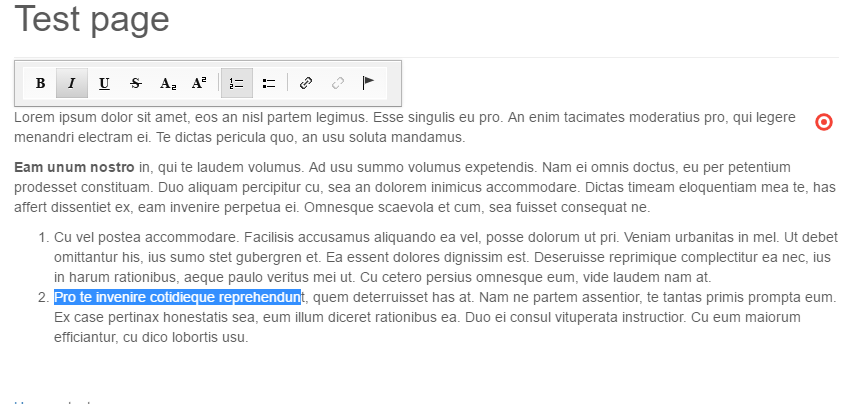
Now the user can use only the limited toolbar.
There is also an additional way to specify the configuration by adding `customConfig`.
```php
wysiwyg("specialContent", [
"height" => 200,
"customConfig" => "/custom/ckeditor_config.js"
]); ?>
```
##### Global Configuration
You can add a Global Configuration for all WYSIWYG Editors for all documents by setting ```pimcore.document.tags.wysiwyg.defaultEditorConfig```
For this purpose, you can create a plugin and add the configuration in the new created file `/plugins/MyPlugin/static/js/editmode.js` like this:
```
pimcore.document.tags.wysiwyg.defaultEditorConfig.allowedContent = true;
```
and add the file to your `plugin.xml`:
```xml
/MyPlugin/static/js/editmode.js
```
### Text Output in Editmode
With the following code you can get the text even in editmode:
```php
wysiwyg("specialContent"); ?>
editmode): ?>
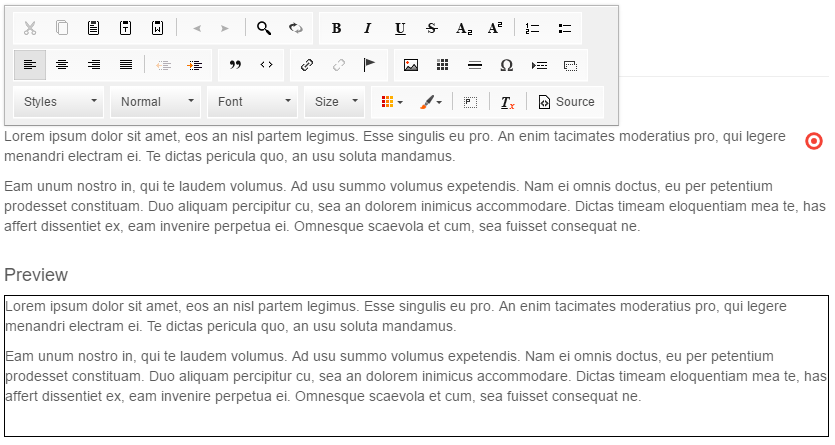
Preview
wysiwyg("specialContent")->getData(); ?>
```