# URLs based on Documents and Pretty URLs
## Introduction
One essential routing option in Pimcore are the Pimcore Document paths. Along with Pretty URLs they define the address
of a Document in the Browser.
The Document path and pretty URLs come third in the route processing priority.
## Document Path
Every document has a path (in the document tree) that directly represents the address in the browser
(e.g. https://demo.pimcore.org/en/basic-examples).
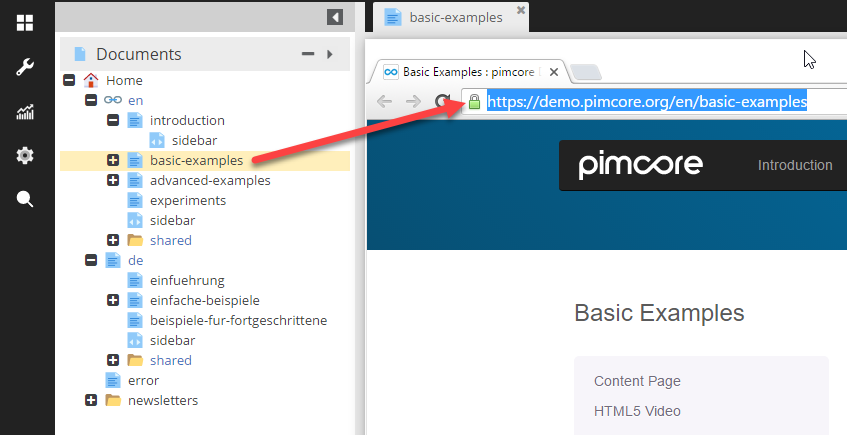
If there is a document path matching the requested path info, the route then uses the controller, action and view defined in the
document's settings, passing them to the dispatcher along with the document itself.
See [Documents documentation](../../03_Documents/README.md) for more details for setting of Documents.
## Pretty URL (Custom Slugs / Clean URL)
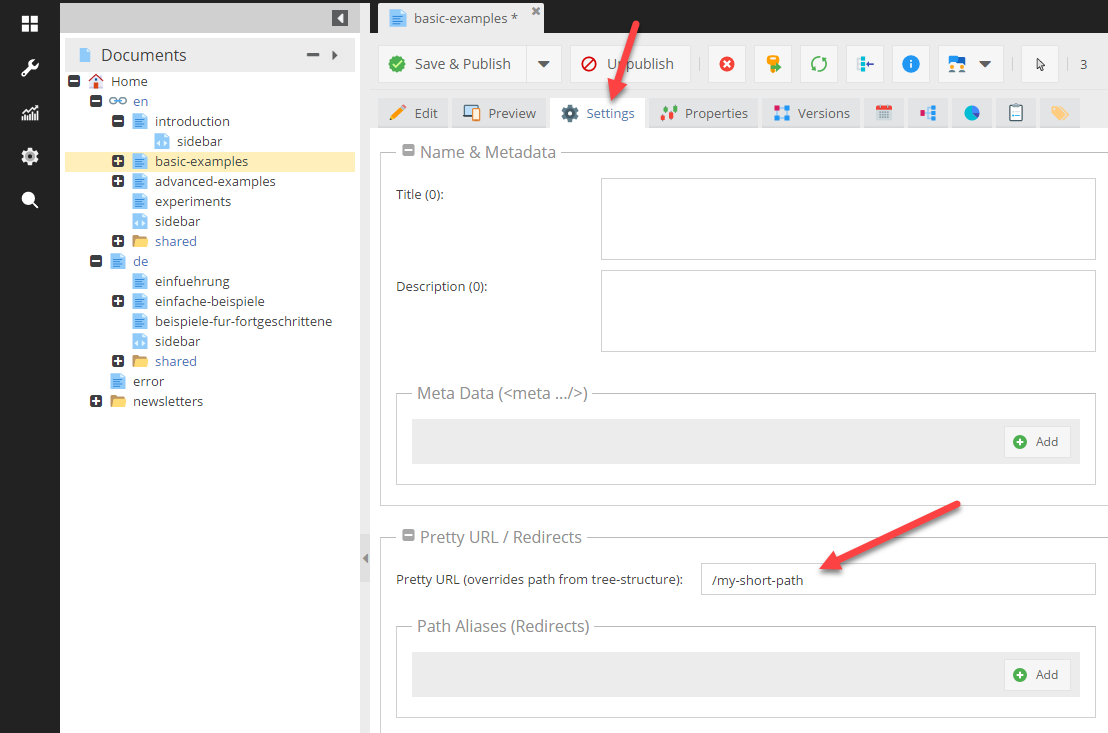
The Pretty URL setting overrides a document's full path only for the purpose of routing.
This is useful for when you would like to create shorter paths or friendly URLs for sharing. A Pretty URL does
not redirect to the original URL.
Pretty URLs can be defined in the Documents settings as shown in the screen below:
## Creating URL's to Documents
The default route is also responsible to assemble the URL's for documents.
#### Example
###### Simple Link to Different Document
```php
Test-Link
// OR
Test-Link
```
Links to `/about`
###### Link to Same Document (The Request Came From) Adding Parameters
```php
"value"]); ?>">Test-Link
```
Links to `/about?key=value`